|
|
| (187 intermediate revisions by 3 users not shown) |
| Line 1: |
Line 1: |
| − | == Command line options == | + | __NOTOC__ |
| | + | {{DISPLAYTITLE:<span style="position: absolute; clip: rect(1px 1px 1px 1px); clip: rect(1px, 1px, 1px, 1px);">{{FULLPAGENAME}}</span>}}<div style="text-align: right>[[About LFS]] · [[Version History|Release notes]]</div><div style="display: flex; gap: 1rem; margin-bottom: 1rem;"><div style="flex: 2"><h1 style="font-size: 2rem; line-height: 2rem; overflow: visible; border-bottom: 0; padding-top: 0; margin-top: 0.7rem; margin-bottom: 0.5rem">Welcome to the LFS Manual!</h1> |
| | + | This is a user manual for '''[https://www.lfs.net Live for Speed]''' – the online racing simulator. |
| | | | |
| − | LFS can be started using a command line or another program.
| + | <!--{{box|'''New to Live for Speed?''' [[Introduction|Start here »]]|border=#8eaebd|bg=#cdf1fa|padding=8px|style=display:inline-block}} |
| | + | --> |
| | + | </div><div style="flex: 1"><h2 style="border-bottom: 0; font-weight: bold;">On this day</h2> |
| | + | '''{{#time: F j}}''' |
| | | | |
| − | Before selecting host options, you may find it helpful to run LFS and try out the options on the Start New Host screen - the required upload bandwidth for those options is displayed on screen.
| + | {{#ifexist:LFS Manual:Selected anniversaries/{{LOCALMONTHNAME}} {{LOCALDAY}}|{{LFS Manual:Selected anniversaries/{{LOCALMONTHNAME}} {{LOCALDAY}}}}|''No anniversary entries for this day. Check back tomorrow!''}} |
| | | | |
| − | A command line or a command file is required for dedicated hosts.
| + | <p style="text-align: end"><small>[[:Category:Selected_anniversaries_by_day|All anniversaries by day]]</small></p> |
| | | | |
| − | List of commands:
| + | </div></div> |
| | | | |
| − | The following command, if used, must be the first command on a
| + | <h2 style="font-size: 1.7rem; line-height: 1">Get started with Live for Speed</h2> |
| − | command line or the first command in a command file.
| |
| | | | |
| − | /settings=X.txt :load settings from X.txt instead of cfg.txt
| + | <ul style="list-style: none; margin: 0 0 1rem 0; display: grid; grid-template-columns: repeat(auto-fill,minmax(280px, 1fr)); grid-template-rows: repeat(auto-fill,minmax(300px, 1fr)); gap: 16px;"> |
| | | | |
| − | If the following command is used it must be before any other commands.
| + | {{list item box|1. Download & install| |
| | + | Learn how to install LFS, unlock your license and get started. |
| | + | |Main Page - Getting Started.jpg|150|button=[[/Getting Started/Installing Live for Speed|Install Live for Speed]]}} |
| | | | |
| − | /join=Host Name :join an internet server
| + | {{list item box|2. Set up your controls| |
| | + | Configure your steering wheel, gamepad, keyboard or mouse. |
| | + | |Main Page - Hardware.jpg|150|button=[[Options/Controls|Configure your controls]]}} |
| | | | |
| − | The following command may only be used after /join.
| + | {{list item box|3. Drive your first lap| |
| | + | Learn the basics of driving and complete your first laps. |
| | + | |Main Page - Game Modes.jpg|150|button=[[Beginner driving tutorial|Beginner driving tutorial]]}} |
| | | | |
| − | /pass=Pass :if required - password
| + | </ul> |
| | | | |
| − | The following commands are mainly for hosts but may also be used
| + | <h2 style="font-size: 1.7rem; line-height: 1">Explore more LFS guides and topics</h2> |
| − | to override various cfg.txt settings or start InSim.
| |
| | | | |
| − | /ip=X.X.X.X :if required - local specified ip address
| + | '''[[LFS Manual:Contents|All topics]] · [[:Category:Articles|Categories]]''' |
| − | /port=63392 :a high number below 65536
| |
| − | /mode=demo :demo / s1 / s2 / s3
| |
| − | /usemaster=yes :no / yes / hidden
| |
| − | /track=XXCR :track and config (e.g. BL1 / SO3R / FE4)
| |
| − | /weather=1 :weather: 1,2,3 in Blackwood
| |
| − | /cars=[cars] :see below: "Car Strings"
| |
| − | /maxguests=4 :max number of guests that can join host
| |
| − | /adminslots=0 :slots reserved for admins (0 to 8)
| |
| − | /carsmax=5 :max number of cars in a race
| |
| − | /carshost=1 :max number of cars (real+ai) on host pc
| |
| − | /carsguest=1 :max number of cars (real+ai) per guest pc
| |
| − | /pps=4 :smoothness (3-12) number of car updates per second
| |
| − | /qual=0 :qualifying minutes, 0 for no qualifying
| |
| − | /laps=5 :number of lap, 0 for practice
| |
| − | /wind=1 :0 no wind / 1 low wind / 2 high wind
| |
| − | /dedicated=no :no / yes / nogfx / invisible
| |
| − | /vote=yes :no / yes: can guests vote to kick or ban
| |
| − | /select=yes :no / yes: can guests select track
| |
| − | /rstmin=X :no restart for X seconds after race start
| |
| − | /rstend=X :no restart for X seconds after race finish
| |
| − | /autokick=no :no / kick / ban / spec (wrong way drivers)
| |
| − | /midrace=yes :no / yes (join during race)
| |
| − | /mustpit=no :no / yes (pit stop required)
| |
| − | /canrefuel=no :no / yes (refuelling allowed)
| |
| − | /showfuel=no :no / yes (remote cars fuel visible)
| |
| − | /canreset=no :no / yes (allow car reset)
| |
| − | /fcv=no :no / yes (force cockpit view)
| |
| − | /cruise=no :no / yes (allow wrong way)
| |
| − | /allowmods X :no / yes (allow mods)
| |
| − | /unapproved X :no / yes (allow unapproved mods)
| |
| − | /start=finish :fixed/finish/reverse/random (default race start)
| |
| − | /vr=X :off / on / rift / openvr - avoid or enter vr mode
| |
| − | /insim=PORT :listen for InSim (PORT is between 1 and 65535)
| |
| − | /player=Name :use the specified player name
| |
| − | /windowed=X :no / yes - overrides the cfg.txt setting
| |
| − | /autosave=0 :MPR autosave (0-no / 1-manual / 2-auto)
| |
| − | /mprdir=X :set the data folder for mpr saving
| |
| − | /lytdir=X :set the data folder for layouts
| |
| | | | |
| − | You can use a command file xxx.txt instead of a long command line.
| + | <ul style="list-style: none; margin: 0 0 1rem 0; display: grid; grid-template-columns: repeat(auto-fill,minmax(280px, 1fr)); grid-template-rows: repeat(auto-fill,minmax(300px, 1fr)); gap: 16px;"> |
| − | The command file contains the command line parameters.
| |
| − | The parameters can be spread onto several lines.
| |
| − | The command file can contain comments, starting with two slashes //
| |
| − | Then the command line would be simply:
| |
| | | | |
| − | LFS.exe /cfg=xxx.txt (where xxx.txt is the name of the config file)
| + | {{list item box|[[Game Modes|Game modes]]| |
| | + | * [[Game Modes/Training|Training]] |
| | + | * [[Game Modes/Single Player|Single player]] |
| | + | * [[Game Modes/Hot Lapping|Hot lapping]] |
| | + | * [[Game Modes/Multiplayer|Multiplayer]] |
| | + | * [[Game Modes/Replays|Replays]] |
| | + | |Main Page - Game Modes 2.jpg|imagelink=Game Modes}} |
| | | | |
| | + | {{list item box|[[:Category:Contents|Official content]]| |
| | + | * [[Cars]] |
| | + | * [[Tracks]] |
| | + | * [[Autocross Editor|Autocross layouts]] |
| | + | |Main Page - Official Content.jpg|150|imagelink=:Category:Contents}} |
| | | | |
| − | Host commands:
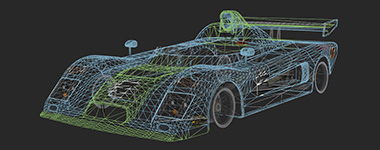
| + | {{list item box|Modifications| |
| − | -------------- | + | * [[Vehicle Mods]] |
| − | Some text commands are intended for hosts and administrators.
| + | * [[LFS Editor]] |
| | + | * [[LFS Editor/Guides|Tutorials]] |
| | + | * [[LFS Editor/Troubleshooting|Troubleshooting]] |
| | + | |Main Page - Mods Wireframe.jpg|150}} |
| | | | |
| − | Using the normal text message system (pressing T in a normal host or
| + | {{list item box|Car setups| |
| − | simply typing into a nogfx host), the message becomes a command if you
| + | * [[Basic Setup Guide|Basic setup guide]] |
| − | start it with a slash character.
| + | * [[Advanced Setup Guide|Advanced setup guide]] |
| | + | * [[Technical Reference|Technical reference]] |
| | + | |Main Page - Car Setups.jpg|150}} |
| | | | |
| − | Simple commands with no parameter:
| + | {{list item box|Hardware| |
| | + | * [[Wheels]] |
| | + | * [[Game pads]] |
| | + | |Main Page - Hardware.jpg|150}} |
| | | | |
| − | /restart :start a race
| + | {{list item box|UI & controls| |
| − | /qualify :start qualifying
| + | * [[Display|User interface]] |
| − | /end :return to race setup screen
| + | * [[Views|Camera views]] |
| − | /help :get list of commands
| + | * [[Options]] |
| − | /ck :cancel any kick or ban votes in progress
| + | * [[Options/Controls|Controls]] |
| − | /cv :cancel game votes (restart / end / qualify)
| + | |Main Page - UI & Controls.jpg|150}} |
| − | /zero_all :reset lap counters on all cars
| |
| | | | |
| − | Commands with a parameter - race setup screen:
| + | {{list item box|Customisation| |
| | + | * [[Skin Tutorial|Custom paint schemes (skins)]] |
| | + | * [[Autocross Editor|Autocross layouts]] |
| | + | |Main Page - Customisation.jpg|150}} |
| | | | |
| − | /track XXCR [W] :track and config (e.g. BL1 / SO3R / FE4)
| + | {{list item box|Programming| |
| − | /weather W :lighting (W = 1, 2, 3...)
| + | * [[Commands]] |
| − | /qual X :qualifying minutes (0 = no qualifying)
| + | * [[Script Guide|Scripting]] |
| − | /laps X :number of laps (0 = practice)
| + | * [[LFS Programming|External programs]] |
| − | /hours X :number of hours (if laps not specified)
| + | |Main Page - Programming.jpg|150}} |
| − | /wind X :0 no / 1 low / 2 high
| |
| | | | |
| − | Commands with a parameter - any time:
| + | {{list item box|Support| |
| | + | * [[FAQ|Frequently asked questions]] |
| | + | * [[Options/Graphics|Improving performance]] |
| | + | |Main Page - Support.jpg|150}} |
| | | | |
| − | /maxguests X :max number of guests that can join host
| + | </ul> |
| − | /adminslots X :slots reserved for admins (0 to 8)
| |
| − | /carsmax X :max number of cars in a race
| |
| − | /carshost X :max number of cars (real+ai) on host pc
| |
| − | /carsguest X :max number of cars (real+ai) per guest pc
| |
| − | /pps X :smoothness (3-12) maximum car updates per second
| |
| − | /msg X :send system message
| |
| − | /vote X :no / yes (allow guest voting)
| |
| − | /select X :no / yes (guests select track)
| |
| − | /rstmin X :no restart for X seconds after race start
| |
| − | /rstend X :no restart for X seconds after race finish
| |
| − | /autokick X :no / kick / ban / spec (wrong way drivers)
| |
| − | /midrace X :no / yes (join during race)
| |
| − | /mustpit X :no / yes (pit stop required)
| |
| − | /canrefuel X :no / yes (refuelling allowed)
| |
| − | /showfuel X :no / yes (remote fuel gauges)
| |
| − | /canreset X :no / yes (allow car reset)
| |
| − | /fcv X :no / yes (force cockpit view)
| |
| − | /cruise X :no / yes (allow wrong way)
| |
| − | /allowmods X :no / yes (allow mods)
| |
| − | /unapproved X :no / yes (unapproved mods)
| |
| − | /start X :fixed/finish/reverse/random (default race start)
| |
| − | /pass X :set new password (BLANK = no password)
| |
| − | /setlap USERNAME Y :set user's current lap to Y (negative = subtract)
| |
| − | /cansiren USERNAME Y :allow or disallow siren (Y = 0 or 1)
| |
| − | /ujoin USERNAME :adds user to the race
| |
| − | /uai USERNAME :adds user's AI driver to the race
| |
| − | /cars [cars] :see below: "Car Strings"
| |
| − | /mods [mods] :see below: "Mods"
| |
| − | /enforce :spectate anyone who is driving a disallowed car
| |
| − | /welcome X.txt :set welcome text file
| |
| − | /tracks X.txt :set list of allowed tracks
| |
| − | /autosave X :MPR autosave (0-no / 1-manual / 2-auto)
| |
| − | /save_mpr X :save MPR with name X (autosave must be 1 or 2)
| |
| − | /mprflush X :flush mpr to file every X seconds (0 = disable)
| |
| − | /ndebug X :no / yes (network debug)
| |
| | | | |
| − | Autocross layout commands:
| + | <h2 style="font-size: 1.7rem; line-height: 1">I want to…</h2> |
| | | | |
| − | /axlist X :get list of layouts for track X - e.g. AU1
| + | <ul style="margin: 0 0 1rem 0; list-style-position: inside; display: grid; grid-template-columns: repeat(auto-fill,minmax(380px, 1fr)); grid-template-rows: repeat(auto-fill,minmax(1rem, 1fr)); gap: 0.5rem 1rem; font-size: 115%"> |
| − | /axload X :load layout X on host
| |
| − | /axsave X :save layout X on host
| |
| − | /axlaps X :set autocross number of laps
| |
| − | /axclear :clear layout
| |
| | | | |
| − | Ban / Kick / Spectate commands - any time:
| + | <li style="border: 1px solid #c8ccd1; background-color: #FAFAFA; padding: 0.5rem 1rem">[[Introduction|Drive my first lap]]</li> |
| | + | <li style="border: 1px solid #c8ccd1; background-color: #FAFAFA; padding: 0.5rem 1rem">[[Introduction|Fix wheel problems]]</li> |
| | + | <li style="border: 1px solid #c8ccd1; background-color: #FAFAFA; padding: 0.5rem 1rem">[[Introduction|Join an online race]]</li> |
| | + | <li style="border: 1px solid #c8ccd1; background-color: #FAFAFA; padding: 0.5rem 1rem">[[Introduction|Get more cars & tracks]]</li> |
| | + | <li style="border: 1px solid #c8ccd1; background-color: #FAFAFA; padding: 0.5rem 1rem">[[Introduction|Install mods]]</li> |
| | | | |
| − | /spec X :make user X join the spectators
| + | </ul> |
| − | /kick X :disconnect user X
| |
| − | /ban X Y :ban user X for Y days (0 = 12 hours)
| |
| − | /unban X :remove ban on user X
| |
| − | /pitlane X :send user X to the pit lane
| |
| − | /pit_all :send all cars to the pit lane
| |
| | | | |
| − | Penalties:
| + | <h2 style="font-size: 1.7rem; line-height: 1">Do you have further questions?</h2> |
| | | | |
| − | /p_dt USERNAME :give drive through penalty
| + | <p style="font-size: 115%; margin: 0 0 1rem 0;">Join '''[https://discord.com Discord]''' or '''[https://www.lfs.net/forum Forum]'''</p> |
| − | /p_sg USERNAME :give stop-go penalty
| |
| − | /p_30 USERNAME :give 30 second time penalty
| |
| − | /p_45 USERNAME :give 45 second time penalty
| |
| − | /p_clear USERNAME :clear a time or pit penalty
| |
| | | | |
| − | Race Control Messages (big text in centre of screen):
| + | <h3 style="text-align: center">Live for Speed links</h3> |
| | | | |
| − | /rcm MESSAGE :set a Race Control Message to be sent
| + | {{box|textalign=center| |
| − | /rcm_ply USERNAME :send the RCM to USERNAME
| + | '''{{plain link|https://www.lfs.net|Main website}} · {{plain link|https://www.lfs.net/forum|Forum}} · {{plain link|https://www.lfsworld.net|LFS World}} · {{plain link|https://twitter.com/LFSracing|X}} · {{plain link|https://bsky.app/profile/lfsracing.bsky.social|Bluesky}} · {{plain link|https://www.youtube.com/@liveforspeed|YouTube}} · {{plain link|https://discordapp.com/invite/wZrUTJN|Discord}}''' |
| − | /rcm_all :send the RCM to all
| + | }} |
| − | /rcc_ply USERNAME :clear USERNAME's RCM
| |
| − | /rcc_all :clear all RCMs
| |
| | | | |
| | | | |
| − | Local commands:
| + | <!-- links to other languages --> |
| − | ---------------
| + | [[bg:]] |
| − | Most of these text commands replicate functions usually controlled by
| + | [[cs:]] |
| − | pressing on-screen buttons but can be useful in other situations, for
| + | [[de:]] |
| − | example when controlling LFS from an external program using InSim.
| + | [[es:]] |
| | + | [[fr:]] |
| | + | [[hr:]] |
| | + | [[it:]] |
| | + | [[ja:]] |
| | + | [[hu:]] |
| | + | [[nl:]] |
| | + | [[pl:]] |
| | + | [[pt:]] |
| | + | [[ru:]] |
| | + | [[sv:]] |
| | + | [[fi:]] |
| | | | |
| − | Race setup screen only:
| |
| | | | |
| − | /ready :set ready
| |
| − | /cancel :cancel ready
| |
| − | /clear :clear all racers from list
| |
| | | | |
| − | Race setup screen or in game:
| |
| | | | |
| − | /car XXX :select car (e.g. XRT)
| |
| − | /setup [X] :select setup X (default if no X)
| |
| − | /colour [X] :select colour X (default if no X)
| |
| − | /join :join the race
| |
| − | /ai [NAME] :add ai driver (can specify NAME)
| |
| − | /spec :spectate or leave grid
| |
| − | /leave :disconnect from host
| |
| − | /player X :select existing player X
| |
| − | /lang X :load language X (data\language\X.txt)
| |
| − | /horn X :select horn type X (1 to 5)
| |
| − | /siren off/slow/fast :switch siren (if allowed by host)
| |
| − | /cp :copy free view text to clipboard
| |
| − | /cp X :restore previously copied free view
| |
| − | /axsel :copy selected objects text to clipboard
| |
| − | /aiskill :set AI skill level (for adding AI)
| |
| − | /aiset NAME X :set AI driver to skill level X (1 to 5)
| |
| − | /aiset_all X :set all local AI drivers to skill level X
| |
| | | | |
| − | Mode / replay control:
| |
| | | | |
| − | /spr X :run a SP replay from entry (front end) screen
| |
| − | /mpr X :run a MP replay from entry (front end) screen
| |
| − | /end :exit from replay back to entry screen
| |
| − | /sp :go into single player from entry screen
| |
| − | /mp IP Port :join a local server from entry screen
| |
| − | /join Host Name :join an internet server from entry screen
| |
| − | /mprlag X :simulate packet delay of X ms (+ no smoothing)
| |
| − | /mprsmooth X :0 / 1 (disable or enable input smoothing)
| |
| | | | |
| − | Any time:
| |
| | | | |
| − | /exit :exit LFS
| |
| − | /entry :return to entry screen
| |
| − | /spectv no/yes :auto select TV camera on spectate
| |
| − | /speedreduce X :total speed steer reduction (0 to 1)
| |
| − | /reducehalf X :speed in m/s for half of reduction
| |
| − | /loadkb X :load kb settings file (data\misc\X.kbs)
| |
| − | /savekb X :save kb settings file (data\misc\X.kbs)
| |
| − | /out X :only seen by external programs
| |
| − | /log X.txt :set message log file
| |
| − | /refresh :refresh list of setups / hosts / replays
| |
| − | /rsh :reload shaders
| |
| − | /window X Y :set window client area width and height
| |
| − | /window [min/max/monitor/virtual] - adjust window (no param = restore)
| |
| | | | |
| − | Useful commands for scripts and controller buttons:
| |
| | | | |
| − | /run X :run the script X (data\script\X.lfs)
| |
| − | /exec E C :run program E (with command line C)
| |
| − | /wait E C :like exec but LFS hangs until E exits
| |
| | | | |
| − | /fov [degrees] - field of view
| |
| − | /ff [0-200] - force feedback strength
| |
| − | /axis [axis] [function] - e.g. /axis 2 throttle (see below)
| |
| − | /invert [0/1] [function] - e.g. /invert 1 brake (see below)
| |
| − | /button [button] [function] - e.g. /button 5 shift_up (see below)
| |
| − | /key [key] [function] - e.g. /key Q handbrake (see below)
| |
| − | /head_tilt [degrees] - 1g head tilt
| |
| − | /lateral_shift [m] - 1g lateral shift
| |
| − | /forward_shift [m] - 1g forward shift
| |
| − | /vertical_shift [m] - 1g vertical shift
| |
| − | /hidetext [yes/no] - hide or show text (SHIFT + F)
| |
| − | /block [0/1/2] - block messages (none / user / all)
| |
| − | /showmouse [yes/no] - show or hide mouse (SHIFT + Z)
| |
| − | /say [message] - same as typing a chat message
| |
| − | /echo [text] - show text only on local screen
| |
| − | /ctrlf [num] [text] - change text e.g. "ctrlf 1 hello"
| |
| − | /altf [num] [text] - change text e.g. "altf 1 bye"
| |
| − | /wheel_turn [degrees] - specify turn angle of controller
| |
| − | /press [key] - simulate key press (see PARAMETERS)
| |
| − | /shift [key] - SHIFT + key
| |
| − | /ctrl [key] - CTRL + key
| |
| − | /alt [key] - ALT + key
| |
| − | /autoclutch [0-1] - turn autoclutch off / on
| |
| | | | |
| − | /shifter [auto/sequential/shifter] - shift type
| |
| − | /view [fol/heli/cam/driver/custom] - select view
| |
| | | | |
| − | /vr reset - position and orientation (default F8)
| |
| − | /vr reset_headset - instantly reset headset position
| |
| − | /vr use_relative - instantly use relative position
| |
| − | /vr [on/off/toggle/rift/openvr] - instantly enter or leave vr mode
| |
| | | | |
| − | /view save - save any changes made to a custom view
| |
| − | /view reload - reload custom view (without saving)
| |
| | | | |
| − | IN A SCRIPT: //comment - this line is ignored
| |
| − | IN CHAT BOX: //xxx - short for /run xxx
| |
| | | | |
| | | | |
| − | To get info from LFS World - /w and /ws commands:
| |
| − | -------------------------------------------------
| |
| − | /w CMD sends command to LFS World for current car/track
| |
| − | e.g. /w pb (Personal Best) or /w laps (Laps)
| |
| | | | |
| − | /ws TRACK CAR CMD sends command for specified car/track
| |
| − | e.g. /ws BL1R XRT pb (get PB in XR GT TURBO at Blackwood GP REV)
| |
| | | | |
| − | More online DB access commands: https://en.lfsmanual.net/wiki/Keys
| |
| | | | |
| − | To get info from master server - /m command:
| |
| | | | |
| − | /m find USER - find a user online
| |
| − | /m ? - get a list of master commands
| |
| | | | |
| | | | |
| − | Car Strings:
| |
| − | ------------
| |
| − | The /cars command for hosts or admins uses 3-character car codes.
| |
| | | | |
| − | /cars=XFG+XRG :allow XF GTI and XR GT
| |
| − | /cars=MRT :allow MRT5 only
| |
| | | | |
| − | These Car Groups can be used as well:
| |
| | | | |
| − | ALL - all cars
| |
| − | ROAD - road legal cars
| |
| − | RACE - race cars
| |
| − | TBO - same as XRT+RB4+FXO
| |
| − | LRF - same as LX6+RAC+FZ5
| |
| − | GTR - same as FXR+XRR+FZR
| |
| | | | |
| − | The plus and minus symbols can be used in conjuction with these:
| |
| | | | |
| − | /cars=TBO+LX4 :allow XRT, RB4, FXO and LX4
| + | = LFS compatibility matrix = |
| − | /cars=ROAD-UF1 :allow all road cars except the UF 1000
| |
| − | /cars+=XRT :add XRT to the current list of cars
| |
| − | /cars-=BF1 :disallow the BF1
| |
| | | | |
| | + | Assumptions: |
| | | | |
| − | Mods:
| + | * If a replay recorded in version A can be played in a newer version B, we assume that the replay can be played in all versions newer than A and older than B. |
| − | -----
| + | * If a replay recorded in version A can be played in a newer version B, we assume that a replay recorded in any version newer than A and older than B can be played in all versions newer than the replay version and older than B. |
| − | The /mods command for hosts or admins uses 6-character mod codes.
| + | * If a replay recorded in version A cannot be played in a newer version B, we assume that a replay recorded in any version older than A cannot be played in version B. |
| | + | * If a replay recorded in version A can be played in a newer version B, we assume that the replay cannot be played in all versions newer than B. |
| | + | * If a replay recorded in version B cannot be played in an older version A, we assume that the replay cannot be played in all versions older than A. |
| | | | |
| − | /mods=C52608+B7B8DC :set a list of allowed mods
| + | {| class="wikitable" |
| − | /mods+=FC2B6F :add to list
| + | |+ Version Compatibility Matrix |
| − | /mods-=C52608 :remove from list
| + | | rowspan="2" colspan="2" | |
| − | /mods=ALL :remove the list and set /allowmods=yes
| + | ! colspan="4" | LFS Client |
| − | /mods=NONE :remove the list and set /allowmods=no
| + | |- |
| − | | + | ! 0.5A !! 0.5B !! 0.6A !! 0.6B |
| − | | + | |- |
| − | FUNCTION NAMES for the /button AND /key COMMANDS:
| + | ! rowspan="4" | Replay |
| − | -------------------------------------------------
| + | ! 0.5A |
| − | steer_left, steer_right, steer_fast, steer_slow
| + | | {{N/A|-}} || {{yes}} || {{no}} || {{no}} |
| − | throttle, brake, shift_up, shift_down, clutch, handbrake
| + | |- |
| − | left_view, right_view, rear_view, horn, flash, reset
| + | ! 0.5B |
| − | pit_speed, tc_disable, ignition, zoom_in, zoom_out
| + | | {{yes}} || {{N/A|-}} || {{no}} || {{no}} |
| − | vr_click, escape, virtual_kb, talk
| + | |- |
| − | reverse, gear_1 - gear_7
| + | ! 0.6A |
| − | ctrl_f1 - ctrl_f12, alt_f1 - alt_f12
| + | | {{yes}} || {{yes}} || {{N/A|-}} || {{no}} |
| − | | + | |- |
| − | | + | ! 0.6B |
| − | FUNCTION NAMES for the /axis AND /invert COMMANDS:
| + | | {{yes}} || {{yes}} || {{no}} || {{N/A|-}} |
| − | -------------------------------------------------- | + | |} |
| − | steer, combined, throttle, brake
| |
| − | lookh, lookp, lookr
| |
| − | clutch, handbrake, shiftx, shifty
| |
| − | | |
| − | | |
| − | UNASSIGNING a button or axis:
| |
| − | -----------------------------
| |
| − | To unassign a button or axis from a function,
| |
| − | you can assign -1 to that function.
| |
| − | | |
| − | Example 1: /button -1 shift_up <- unassign the shift up button
| |
| − | Example 2: /axis -1 clutch <- unassign the clutch axis
| |
| − | | |
| − | | |
| − | PARAMETERS for the key commands (press / shift / ctrl / alt):
| |
| − | -------------------------------------------------------------
| |
| − | Letters A to Z
| |
| − | Numbers 0 to 9
| |
| − | F1 to F12
| |
| − | up, down, left, right
| |
| − | space, enter, esc, tab
| |
| − | less, more, minus, plus
| |
| − | | |
| − | --------------------------
| |
| − | www.lfs.net - 9 March 2022
| |