Difference between revisions of "User:Flame CZE/Sandbox"
From LFS Manual
Jump to navigationJump to searchm |
|||
| (149 intermediate revisions by 3 users not shown) | |||
| Line 1: | Line 1: | ||
| − | < | + | __NOTOC__ |
| − | < | + | {{DISPLAYTITLE:<span style="position: absolute; clip: rect(1px 1px 1px 1px); clip: rect(1px, 1px, 1px, 1px);">{{FULLPAGENAME}}</span>}}<div style="text-align: right>[[About LFS]] · [[Version History|Release notes]]</div><div style="display: flex; gap: 1rem; margin-bottom: 1rem;"><div style="flex: 2"><h1 style="font-size: 2rem; line-height: 2rem; overflow: visible; border-bottom: 0; padding-top: 0; margin-top: 0.7rem; margin-bottom: 0.5rem">Welcome to the LFS Manual!</h1> |
| − | <div style=" | + | This is a user manual for '''[https://www.lfs.net Live for Speed]''' – the online racing simulator. |
| − | <div style="margin-bottom: | ||
| − | |||
| − | |||
| − | < | + | <!--{{box|'''New to Live for Speed?''' [[Introduction|Start here »]]|border=#8eaebd|bg=#cdf1fa|padding=8px|style=display:inline-block}} |
| − | + | --> | |
| + | </div><div style="flex: 1"><h2 style="border-bottom: 0; font-weight: bold;">On this day</h2> | ||
| + | '''{{#time: F j}}''' | ||
| − | + | {{#ifexist:LFS Manual:Selected anniversaries/{{LOCALMONTHNAME}} {{LOCALDAY}}|{{LFS Manual:Selected anniversaries/{{LOCALMONTHNAME}} {{LOCALDAY}}}}|''No anniversary entries for this day. Check back tomorrow!''}} | |
| − | |||
| − | < | + | <p style="text-align: end"><small>[[:Category:Selected_anniversaries_by_day|All anniversaries by day]]</small></p> |
| − | < | ||
| − | |||
| − | |||
| − | |||
| − | |||
| − | |||
| − | |||
| − | |||
| − | |||
| − | |||
| − | |||
| − | |||
| − | |||
| − | |||
| − | |||
| − | |||
| − | |||
| − | |||
| − | |||
| − | |||
| − | |||
| − | |||
| − | |||
| − | |||
| − | |||
| − | |||
| − | |||
| − | |||
| − | |||
| − | |||
| − | |||
| − | |||
| − | |||
| − | |||
| − | |||
| − | |||
| − | |||
| − | |||
| − | |||
| − | |||
| − | |||
| − | |||
| − | |||
| − | |||
| − | |||
| − | |||
| − | |||
| − | |||
| − | |||
| − | |||
| − | |||
| − | |||
| − | |||
| − | |||
| − | |||
| − | |||
| − | |||
| − | |||
| − | |||
| − | |||
| − | |||
| − | |||
| − | |||
| − | |||
| − | |||
| − | |||
| − | </ | ||
| − | <div | + | </div></div> |
| − | < | + | <h2 style="font-size: 1.7rem; line-height: 1">Get started with Live for Speed</h2> |
| − | + | <ul style="list-style: none; margin: 0 0 1rem 0; display: grid; grid-template-columns: repeat(auto-fill,minmax(280px, 1fr)); grid-template-rows: repeat(auto-fill,minmax(300px, 1fr)); gap: 16px;"> | |
| − | |||
| − | |||
| − | |||
| − | |||
| − | |||
| − | {{list item box| | + | {{list item box|1. Download & install| |
| − | + | Learn how to install LFS, unlock your license and get started. | |
| − | + | |Main Page - Getting Started.jpg|150|button=[[/Getting Started/Installing Live for Speed|Install Live for Speed]]}} | |
| − | |||
| − | |||
| − | |||
| − | |||
| − | {{list item box|Official | + | {{list item box|2. Set up your controls| |
| + | Configure your steering wheel, gamepad, keyboard or mouse. | ||
| + | |Main Page - Hardware.jpg|150|button=[[Options/Controls|Configure your controls]]}} | ||
| + | |||
| + | {{list item box|3. Drive your first lap| | ||
| + | Learn the basics of driving and complete your first laps. | ||
| + | |Main Page - Game Modes.jpg|150|button=[[Beginner driving tutorial|Beginner driving tutorial]]}} | ||
| + | |||
| + | </ul> | ||
| + | |||
| + | <h2 style="font-size: 1.7rem; line-height: 1">Explore more LFS guides and topics</h2> | ||
| + | |||
| + | '''[[LFS Manual:Contents|All topics]] · [[:Category:Articles|Categories]]''' | ||
| + | |||
| + | <ul style="list-style: none; margin: 0 0 1rem 0; display: grid; grid-template-columns: repeat(auto-fill,minmax(280px, 1fr)); grid-template-rows: repeat(auto-fill,minmax(300px, 1fr)); gap: 16px;"> | ||
| + | |||
| + | {{list item box|[[Game Modes|Game modes]]| | ||
| + | * [[Game Modes/Training|Training]] | ||
| + | * [[Game Modes/Single Player|Single player]] | ||
| + | * [[Game Modes/Hot Lapping|Hot lapping]] | ||
| + | * [[Game Modes/Multiplayer|Multiplayer]] | ||
| + | * [[Game Modes/Replays|Replays]] | ||
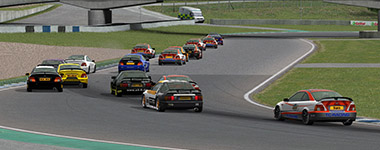
| + | |Main Page - Game Modes 2.jpg|imagelink=Game Modes}} | ||
| + | |||
| + | {{list item box|[[:Category:Contents|Official content]]| | ||
* [[Cars]] | * [[Cars]] | ||
* [[Tracks]] | * [[Tracks]] | ||
| − | |Main Page - Official Content.jpg|150}} | + | * [[Autocross Editor|Autocross layouts]] |
| + | |Main Page - Official Content.jpg|150|imagelink=:Category:Contents}} | ||
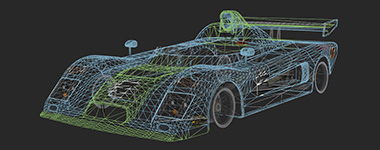
| − | {{list item box| | + | {{list item box|Modifications| |
| − | * [[Vehicle Mods | + | * [[Vehicle Mods]] |
| − | * [[LFS Editor | + | * [[LFS Editor]] |
| − | * [[ | + | * [[LFS Editor/Guides|Tutorials]] |
| − | * [[LFS Editor | + | * [[LFS Editor/Troubleshooting|Troubleshooting]] |
|Main Page - Mods Wireframe.jpg|150}} | |Main Page - Mods Wireframe.jpg|150}} | ||
| − | {{list item box| | + | {{list item box|Car setups| |
| − | * [[ | + | * [[Basic Setup Guide|Basic setup guide]] |
| − | * [[ | + | * [[Advanced Setup Guide|Advanced setup guide]] |
| − | * [[ | + | * [[Technical Reference|Technical reference]] |
| − | |Main Page - | + | |Main Page - Car Setups.jpg|150}} |
{{list item box|Hardware| | {{list item box|Hardware| | ||
| Line 123: | Line 70: | ||
|Main Page - Hardware.jpg|150}} | |Main Page - Hardware.jpg|150}} | ||
| − | {{list item box| | + | {{list item box|UI & controls| |
| − | * [[ | + | * [[Display|User interface]] |
| − | * [[ | + | * [[Views|Camera views]] |
| − | * [[ | + | * [[Options]] |
| − | |Main Page - | + | * [[Options/Controls|Controls]] |
| + | |Main Page - UI & Controls.jpg|150}} | ||
{{list item box|Customisation| | {{list item box|Customisation| | ||
| Line 142: | Line 90: | ||
{{list item box|Support| | {{list item box|Support| | ||
* [[FAQ|Frequently asked questions]] | * [[FAQ|Frequently asked questions]] | ||
| − | * [[Options | + | * [[Options/Graphics|Improving performance]] |
| − | | | + | |Main Page - Support.jpg|150}} |
| + | |||
| + | </ul> | ||
| + | |||
| + | <h2 style="font-size: 1.7rem; line-height: 1">I want to…</h2> | ||
| + | |||
| + | <ul style="margin: 0 0 1rem 0; list-style-position: inside; display: grid; grid-template-columns: repeat(auto-fill,minmax(380px, 1fr)); grid-template-rows: repeat(auto-fill,minmax(1rem, 1fr)); gap: 0.5rem 1rem; font-size: 115%"> | ||
| + | |||
| + | <li style="border: 1px solid #c8ccd1; background-color: #FAFAFA; padding: 0.5rem 1rem">[[Introduction|Drive my first lap]]</li> | ||
| + | <li style="border: 1px solid #c8ccd1; background-color: #FAFAFA; padding: 0.5rem 1rem">[[Introduction|Fix wheel problems]]</li> | ||
| + | <li style="border: 1px solid #c8ccd1; background-color: #FAFAFA; padding: 0.5rem 1rem">[[Introduction|Join an online race]]</li> | ||
| + | <li style="border: 1px solid #c8ccd1; background-color: #FAFAFA; padding: 0.5rem 1rem">[[Introduction|Get more cars & tracks]]</li> | ||
| + | <li style="border: 1px solid #c8ccd1; background-color: #FAFAFA; padding: 0.5rem 1rem">[[Introduction|Install mods]]</li> | ||
</ul> | </ul> | ||
| − | |||
| − | </ | + | <h2 style="font-size: 1.7rem; line-height: 1">Do you have further questions?</h2> |
| + | |||
| + | <p style="font-size: 115%; margin: 0 0 1rem 0;">Join '''[https://discord.com Discord]''' or '''[https://www.lfs.net/forum Forum]'''</p> | ||
| + | |||
| + | <h3 style="text-align: center">Live for Speed links</h3> | ||
| + | |||
| + | {{box|textalign=center| | ||
| + | '''{{plain link|https://www.lfs.net|Main website}} · {{plain link|https://www.lfs.net/forum|Forum}} · {{plain link|https://www.lfsworld.net|LFS World}} · {{plain link|https://twitter.com/LFSracing|X}} · {{plain link|https://bsky.app/profile/lfsracing.bsky.social|Bluesky}} · {{plain link|https://www.youtube.com/@liveforspeed|YouTube}} · {{plain link|https://discordapp.com/invite/wZrUTJN|Discord}}''' | ||
| + | }} | ||
| + | |||
<!-- links to other languages --> | <!-- links to other languages --> | ||
| Line 166: | Line 134: | ||
[[sv:]] | [[sv:]] | ||
[[fi:]] | [[fi:]] | ||
| + | |||
| + | |||
| + | |||
| + | |||
| + | |||
| + | |||
| + | |||
| + | |||
| + | |||
| + | |||
| + | |||
| + | |||
| + | |||
| + | |||
| + | |||
| + | |||
| + | |||
| + | |||
| + | |||
| + | |||
| + | |||
| + | |||
| + | |||
| + | |||
| + | |||
| + | |||
| + | |||
| + | |||
| + | = LFS compatibility matrix = | ||
| + | |||
| + | Assumptions: | ||
| + | |||
| + | * If a replay recorded in version A can be played in a newer version B, we assume that the replay can be played in all versions newer than A and older than B. | ||
| + | * If a replay recorded in version A can be played in a newer version B, we assume that a replay recorded in any version newer than A and older than B can be played in all versions newer than the replay version and older than B. | ||
| + | * If a replay recorded in version A cannot be played in a newer version B, we assume that a replay recorded in any version older than A cannot be played in version B. | ||
| + | * If a replay recorded in version A can be played in a newer version B, we assume that the replay cannot be played in all versions newer than B. | ||
| + | * If a replay recorded in version B cannot be played in an older version A, we assume that the replay cannot be played in all versions older than A. | ||
| + | |||
| + | {| class="wikitable" | ||
| + | |+ Version Compatibility Matrix | ||
| + | | rowspan="2" colspan="2" | | ||
| + | ! colspan="4" | LFS Client | ||
| + | |- | ||
| + | ! 0.5A !! 0.5B !! 0.6A !! 0.6B | ||
| + | |- | ||
| + | ! rowspan="4" | Replay | ||
| + | ! 0.5A | ||
| + | | {{N/A|-}} || {{yes}} || {{no}} || {{no}} | ||
| + | |- | ||
| + | ! 0.5B | ||
| + | | {{yes}} || {{N/A|-}} || {{no}} || {{no}} | ||
| + | |- | ||
| + | ! 0.6A | ||
| + | | {{yes}} || {{yes}} || {{N/A|-}} || {{no}} | ||
| + | |- | ||
| + | ! 0.6B | ||
| + | | {{yes}} || {{yes}} || {{no}} || {{N/A|-}} | ||
| + | |} | ||
Latest revision as of 17:24, 23 February 2026
Welcome to the LFS Manual!
This is a user manual for Live for Speed – the online racing simulator.
Get started with Live for Speed


Explore more LFS guides and topics

I want to…
Do you have further questions?
Live for Speed links
LFS compatibility matrix
Assumptions:
- If a replay recorded in version A can be played in a newer version B, we assume that the replay can be played in all versions newer than A and older than B.
- If a replay recorded in version A can be played in a newer version B, we assume that a replay recorded in any version newer than A and older than B can be played in all versions newer than the replay version and older than B.
- If a replay recorded in version A cannot be played in a newer version B, we assume that a replay recorded in any version older than A cannot be played in version B.
- If a replay recorded in version A can be played in a newer version B, we assume that the replay cannot be played in all versions newer than B.
- If a replay recorded in version B cannot be played in an older version A, we assume that the replay cannot be played in all versions older than A.
| LFS Client | |||||
|---|---|---|---|---|---|
| 0.5A | 0.5B | 0.6A | 0.6B | ||
| Replay | 0.5A | - | Yes | No | No |
| 0.5B | Yes | - | No | No | |
| 0.6A | Yes | Yes | - | No | |
| 0.6B | Yes | Yes | No | - | |
