Difference between revisions of "Main Page"
From LFS Manual
Jump to navigationJump to searchm |
|||
| (33 intermediate revisions by 2 users not shown) | |||
| Line 1: | Line 1: | ||
| − | {{DISPLAYTITLE:<span style="position: absolute; clip: rect(1px 1px 1px 1px); clip: rect(1px, 1px, 1px, 1px);">{{FULLPAGENAME}}</span>}}<div style="display: flex; gap: 1rem; margin-bottom: | + | __NOTOC__ |
| − | This is a manual for '''[https://www.lfs.net Live for Speed]''' | + | {{DISPLAYTITLE:<span style="position: absolute; clip: rect(1px 1px 1px 1px); clip: rect(1px, 1px, 1px, 1px);">{{FULLPAGENAME}}</span>}}<div style="text-align: right>[[About LFS]] · [[Credits]] · [[Version History|Release notes]]</div><div style="display: flex; gap: 1rem; margin-bottom: 1rem;"><div style="flex: 2"><h1 style="font-size: 2rem; line-height: 2rem; overflow: visible; border-bottom: 0; padding-top: 0; margin-top: 0.7rem; margin-bottom: 0.5rem">Welcome to the LFS Manual!</h1> |
| + | This is a user manual for '''[https://www.lfs.net Live for Speed]''' - the online racing simulator. This manual works like [http://www.wikipedia.org/ Wikipedia], meaning that you or anyone with an LFS account can edit almost any article right now by clicking on the ''edit'' link that appears at the top of the page. You can log in using the link top-right of any page. Don't be afraid to edit, you can't break the LFS Manual. | ||
| + | |||
| + | <!--{{box|'''New to Live for Speed?''' [[Introduction|Start here »]]|border=#8eaebd|bg=#cdf1fa|padding=8px|style=display:inline-block}} | ||
| + | --> | ||
| + | </div><div style="flex: 1"><h2 style="border-bottom: 0; font-weight: bold;">On this day</h2> | ||
'''{{#time: F j}}''' | '''{{#time: F j}}''' | ||
| Line 9: | Line 14: | ||
</div></div> | </div></div> | ||
| − | < | + | <h2 style="font-size: 1.7rem; line-height: 1">Get started with Live for Speed</h2> |
| − | < | + | |
| − | + | <ul style="list-style: none; margin: 0 0 1rem 0; display: grid; grid-template-columns: repeat(auto-fill,minmax(280px, 1fr)); grid-template-rows: repeat(auto-fill,minmax(300px, 1fr)); gap: 16px;"> | |
| − | + | ||
| − | + | {{list item box|1. Download & install| | |
| − | + | Learn how to install Live for Speed to get started. | |
| − | + | |Main Page - Download and install.jpg|150|button=[[Getting Started/Installing Live for Speed|Install Live for Speed]]|imagelink=Getting Started/Installing Live for Speed}} | |
| − | + | ||
| − | + | {{list item box|2. The first start| | |
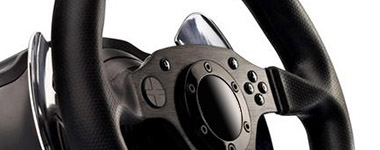
| − | + | Configure your steering wheel, gamepad, keyboard or mouse. | |
| − | + | |Main Page - Hardware.jpg|150|button=[[Getting Started/The First Start|Set up Live for Speed]]|imagelink=Getting Started/The First Start}} | |
| − | + | ||
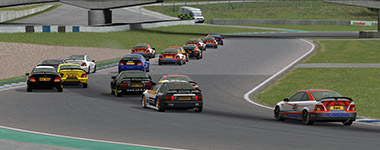
| − | + | {{list item box|3. Drive your first lap| | |
| − | + | Learn the basics of driving and complete your first laps. | |
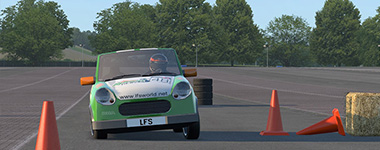
| − | + | |Main page - first lap.jpg|150|button=[[Getting Started/Beginner Driving Tutorial|Beginner driving tutorial]]|imagelink=Getting Started/Beginner Driving Tutorial}} | |
| − | + | ||
| − | + | {{list item box|4. Play online| | |
| − | + | Join multiplayer servers and get the most out of Live for Speed. | |
| − | + | |Main Page - Game Modes 2.jpg|150|button=[[Getting Started/Going Online|Play online]]|imagelink=Getting Started/Going Online}} | |
| − | + | ||
| − | + | </ul> | |
| − | |||
| − | |||
| − | |||
| − | |||
| − | |||
| − | |||
| − | |||
| − | |||
| − | |||
| − | |||
| − | |||
| − | |||
| − | |||
| − | |||
| − | |||
| − | |||
| − | |||
| − | |||
| − | |||
| − | |||
| − | |||
| − | |||
| − | |||
| − | |||
| − | |||
| − | |||
| − | |||
| − | |||
| − | |||
| − | |||
| − | |||
| − | |||
| − | |||
| − | |||
| − | |||
| − | |||
| − | |||
| − | |||
| − | |||
| − | |||
| − | |||
| − | |||
| − | |||
| − | |||
| − | |||
| − | |||
| − | |||
| − | |||
| − | |||
| − | |||
| − | |||
| − | |||
| − | |||
| − | |||
| − | |||
| − | |||
| − | |||
| − | |||
| − | |||
| − | </ | ||
| − | < | + | <h2 style="font-size: 1.7rem; line-height: 1">Explore more LFS guides and topics</h2> |
| − | + | '''[[LFS Manual:Contents|All topics]] · [[:Category:Articles|Categories]]''' | |
| − | + | <ul style="list-style: none; margin: 0 0 1rem 0; display: grid; grid-template-columns: repeat(auto-fill,minmax(280px, 1fr)); grid-template-rows: repeat(auto-fill,minmax(300px, 1fr)); gap: 16px;"> | |
| − | |||
| − | |||
| − | |||
| − | |||
| − | {{list item box|Game Modes| | + | {{list item box|[[Game Modes|Game modes]]| |
* [[Game Modes/Training|Training]] | * [[Game Modes/Training|Training]] | ||
* [[Game Modes/Single Player|Single player]] | * [[Game Modes/Single Player|Single player]] | ||
* [[Game Modes/Hot Lapping|Hot lapping]] | * [[Game Modes/Hot Lapping|Hot lapping]] | ||
* [[Game Modes/Multiplayer|Multiplayer]] | * [[Game Modes/Multiplayer|Multiplayer]] | ||
| − | |||
* [[Game Modes/Replays|Replays]] | * [[Game Modes/Replays|Replays]] | ||
| − | |Main Page - | + | |Main Page - Getting Started.jpg|imagelink=Game Modes}} |
| − | {{list item box|Official | + | {{list item box|[[:Category:Contents|Official content]]| |
| − | * [[ | + | * [[Cars]] |
| − | * [[ | + | * [[Tracks]] |
| − | |Main Page - Official Content.jpg|150}} | + | * [[Track Conditions|Track conditions]] |
| + | * [[Getting Started/Going Online|Unlocking more content]] | ||
| + | |Main Page - Official Content.jpg|150|imagelink=:Category:Contents}} | ||
| − | {{list item box| | + | {{list item box|Interface & controls| |
| − | * [[ | + | * [[:Category:Menu|Menus]] |
| − | * [[ | + | * [[Options]] |
| − | * [[ | + | * [[Display|On-screen display]] |
| − | |||
| − | |||
| − | |||
| − | |||
| − | |||
* [[Views|Camera views]] | * [[Views|Camera views]] | ||
| − | * [[ | + | * [[Keys|Keyboard shortcuts]] |
| − | |||
|Main Page - UI & Controls.jpg|150}} | |Main Page - UI & Controls.jpg|150}} | ||
| − | + | {{list item box|Car setups| | |
| − | |||
| − | |||
| − | |||
| − | |||
| − | {{list item box|Car | ||
* [[Basic Setup Guide|Basic setup guide]] | * [[Basic Setup Guide|Basic setup guide]] | ||
* [[Advanced Setup Guide|Advanced setup guide]] | * [[Advanced Setup Guide|Advanced setup guide]] | ||
| Line 141: | Line 72: | ||
{{list item box|Customisation| | {{list item box|Customisation| | ||
| − | * [[Skin Tutorial| | + | * [[Skin Tutorial|Paint schemes (skins)]] |
* [[Autocross Editor|Autocross layouts]] | * [[Autocross Editor|Autocross layouts]] | ||
| − | |Main Page - | + | * [[Vehicle Mods|Vehicle mods]] |
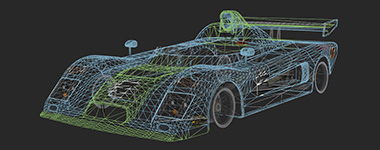
| + | |Main Page - Mods Wireframe.jpg|150}} | ||
| + | |||
| + | {{list item box|Driving guides| | ||
| + | * [[Basic driving guides|Basic driving]] | ||
| + | * [[Advanced driving guide|Advanced driving]] | ||
| + | * [[Drifting|Drifting]] | ||
| + | * [[Driver Swap Guide|Driver swaps]] | ||
| + | * [[Rules of Clean Racing|Rules of clean racing]] | ||
| + | * [[Penalties]] | ||
| + | |UF1 Autocross.jpg|150}} | ||
{{list item box|Programming| | {{list item box|Programming| | ||
| Line 150: | Line 91: | ||
* [[LFS Programming|External programs]] | * [[LFS Programming|External programs]] | ||
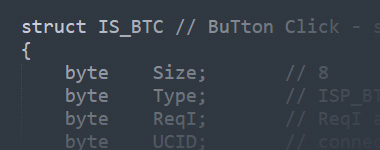
|Main Page - Programming.jpg|150}} | |Main Page - Programming.jpg|150}} | ||
| + | |||
| + | {{list item box|Hardware| | ||
| + | * [[Wheels]] | ||
| + | * [[Game pads]] | ||
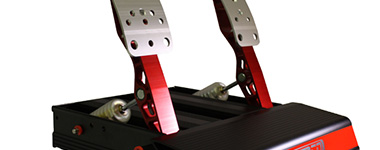
| + | |Main Page - Pedals.jpg|150}} | ||
| + | |||
| + | {{list item box|Software| | ||
| + | * [[Running LFS on Linux]] | ||
| + | * [[Running LFS on OS X]] | ||
| + | * [[Telemetry]] | ||
| + | * [[Misc Tools|Misc tools]] | ||
| + | |Main page - software.jpg|150}} | ||
| + | |||
| + | {{list item box|Community| | ||
| + | * [[Leagues|Leagues & events]] | ||
| + | * [[LFS World]] | ||
| + | * [[How to translate|Translations]] | ||
| + | * [[LFS players in real life motorsports|LFS players in real life motorsports]] | ||
| + | * [[Links]] | ||
| + | |Main page - community.jpg|150}} | ||
{{list item box|Support| | {{list item box|Support| | ||
* [[FAQ|Frequently asked questions]] | * [[FAQ|Frequently asked questions]] | ||
| − | * [[ | + | * [[Glossary]] |
| + | * [[Abbreviations]] | ||
|Main Page - Support.jpg|150}} | |Main Page - Support.jpg|150}} | ||
| + | |||
| + | {{list item box|Trivia| | ||
| + | * [[Easter Eggs|Easter eggs]] | ||
| + | * [[List of brands in LFS|List of brands]] | ||
| + | |Main Page - Trivia.jpg|150}} | ||
</ul> | </ul> | ||
| + | <!-- | ||
| + | <h2 style="font-size: 1.7rem; line-height: 1">I want to…</h2> | ||
| + | |||
| + | <ul style="margin: 0 0 1rem 0; list-style-position: inside; display: grid; grid-template-columns: repeat(auto-fill,minmax(380px, 1fr)); grid-template-rows: repeat(auto-fill,minmax(1rem, 1fr)); gap: 0.5rem 1rem; font-size: 115%"> | ||
| − | < | + | <li style="border: 1px solid #c8ccd1; background-color: #FAFAFA; padding: 0.5rem 1rem">[[Introduction|Drive my first lap]]</li> |
| + | <li style="border: 1px solid #c8ccd1; background-color: #FAFAFA; padding: 0.5rem 1rem">[[Introduction|Fix wheel problems]]</li> | ||
| + | <li style="border: 1px solid #c8ccd1; background-color: #FAFAFA; padding: 0.5rem 1rem">[[Introduction|Join an online race]]</li> | ||
| + | <li style="border: 1px solid #c8ccd1; background-color: #FAFAFA; padding: 0.5rem 1rem">[[Introduction|Get more cars & tracks]]</li> | ||
| + | <li style="border: 1px solid #c8ccd1; background-color: #FAFAFA; padding: 0.5rem 1rem">[[Introduction|Install mods]]</li> | ||
| − | + | </ul> | |
| − | + | --> | |
| − | + | <h2 style="font-size: 1.7rem; line-height: 1">Do you have further questions?</h2> | |
| − | </ | + | <p style="font-size: 115%; margin: 0 0 1rem 0;">Join '''[https://discord.com Discord]''' or '''[https://www.lfs.net/forum Forum]'''</p> |
| − | </ | + | <h3 style="text-align: center">Live for Speed links</h3> |
| + | {{box|textalign=center| | ||
| + | '''{{plain link|https://www.lfs.net|Main website}} · {{plain link|https://www.lfs.net/forum|Forum}} · {{plain link|https://www.lfsworld.net|LFS World}} · {{plain link|https://twitter.com/LFSracing|X}} · {{plain link|https://bsky.app/profile/lfsracing.bsky.social|Bluesky}} · {{plain link|https://www.youtube.com/@liveforspeed|YouTube}} · {{plain link|https://discordapp.com/invite/wZrUTJN|Discord}}''' | ||
| + | }} | ||
<!-- links to other languages --> | <!-- links to other languages --> | ||
[[bg:]] | [[bg:]] | ||
Latest revision as of 17:16, 24 March 2026
Welcome to the LFS Manual!
This is a user manual for Live for Speed - the online racing simulator. This manual works like Wikipedia, meaning that you or anyone with an LFS account can edit almost any article right now by clicking on the edit link that appears at the top of the page. You can log in using the link top-right of any page. Don't be afraid to edit, you can't break the LFS Manual.